Streamline Your Research Workflow with LibKey Nomad


When searching for academic literature online, it’s common to encounter articles locked behind paywalls or restricted to subscribers. While the Library’s databases provide extensive coverage, access levels can change over time as subscriptions are reviewed. For example, our subscription to Elsevier content recently ended. This means some journal articles on the ScienceDirect platform may no longer be immediately available.
If Elsevier articles appear as essential readings on your online reading list, don’t worry—we’ll make sure you still have access. But what about everything else you discover during your own research?
That’s where tools like LibKey Nomad can make a real difference.
Meet LibKey Nomad: Your Research Shortcut
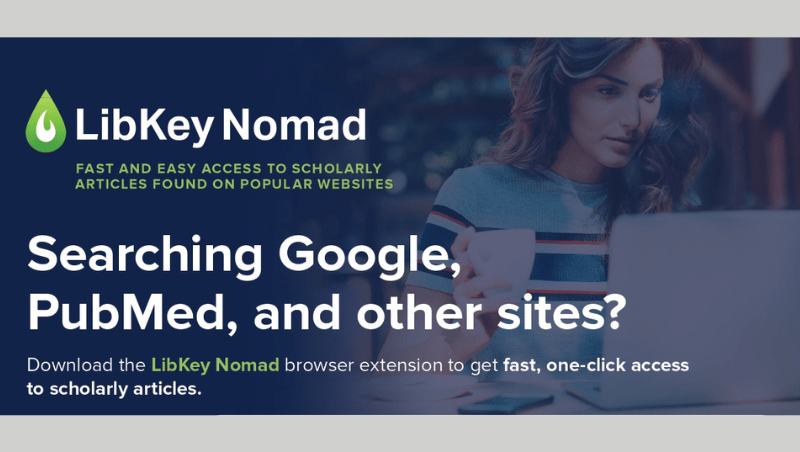
LibKey Nomad is a free browser extension designed to speed up your literature search process. It provides one‑click access to full text articles available through library subscriptions or open access sources—eliminating the need to navigate through multiple pages to access the full text, saving valuable time.
Benefits of LibKey Nomad
- Instant full‑text access: LibKey Nomad detects when a PDF or full‑text article is available through the Library or an open access source and displays a clear 'Download PDF' or 'Article Link' button.
- Seamless integration with search platforms: LibKey works directly within platforms such as:
- PubMed
- Google Scholar (similar to enabling Library Links within Google Scholar)
- Web of Science and Scopus
- Even Wikipedia references
As you scroll through results, access buttons appear directly on the page. This helps you keep your research momentum by removing extra logins, dead ends, and far less copying and pasting between tabs.
- Identifying academic sources while browsing the web: Reading a news article or blog post that cites research? LibKey Nomad can help you identify scholarly articles mentioned on the page and link you to the original study.
- Directs to alternative access options when full text isn’t available: If full text isn’t available, LibKey will try to direct you to a Library record where you can request it through our Interlibrary Loans service (keep reading to find out more!).
Ready to Save Time? Get Started in Minutes
1. Download LibKey Nomad
Available for Edge, Chrome, Firefox, Brave, Vivaldi, and Safari
2. Set Your Institution
Choose University of Essex, and you’re done! LibKey will handle the rest.
3. Sign up for an 'Accessing digital readings & sources' workshop if you would like further support with using digital reading features and tools, accessing full text for sources found outside the Library, and adapting digital texts to improve your learning experience.
4. Explore Skills at Library’s online support for developing search skills and accessing sources.
LibKey for Interlibrary Loans
Even if an item isn't available in the library, then LibKey can still take you through to the library catalogue and give you the option to request it through our interlibrary loans service. Simply look for the LibKey button that appears on the article, then when you are taken to the catalogue, click Request a Resource (Interlibrary Loan), and the resource information and your details will be automatically populated. You can also find this if you search for an item in the catalogue and click Expand My Results to view items we don't hold in the library.
Fulfilling your request
- RapidILL
Once you have submitted your request, there are several ways that we can fulfil it. Firstly, if the item is a digital article or chapter scan, our RapidILL system will automatically search the catalogues of other libraries to see if they hold it, retrieve it if so, then send it straight back to you. On average, RapidILL has a turnaround time of 8 hours, but we have seen some requests be fulfilled in a matter of minutes.
- WHELF+
Physical and digital requests can also be fulfilled by our friends at WHELF+ - the Wales Higher Education Libraries Forum scheme we are part of that is free of charge and reciprocal. This means that we lend items to other libraries in this scheme and in return, they lend us items too! Generally, WHELF+ interlibrary loans can take around 7 days to fulfil, but again we often find that it is much shorter than this.
- Our global partners
Outside of WHELF+, we also work with a lot of other libraries and institutions around the world who are always keen to help you get the items you need, whether it be a journal article that discusses the exact topic you are researching, a chapter from an out-of-print book that a library in New Zealand holds, or a loan of a whole textbook from the US!
If you are ever unsure whether we can get hold of an item for you, then do still submit a Request a Resource form with as many details as possible included, and we will do our best - and if not, we will always get back to you with any other possible options.
Need more support?
To find study and research materials relevant to your modules, then your reading list is a great place to start! If you need any more help finding further reading beyond this though, then why not book an appointment with one of our Academic Liaison Librarians? We also hold regular Skills at Library workshops to help you develop advanced search skills, understand how to verify information and learn how to make information inclusive.
You can also check our FAQs for common queries, or get in touch for more support on LibKey, Interlibrary Loans, or anything else you need!