Sitecore modules
Our web pages are created using a combination of modules. You can mix and match modules to suit your content. Too many modules may make a page appear cluttered so it is wise to be selective. Some modules should only be used once on a page, such as promo, support, get in touch and key facts. The Staff and Student Directories are information-focused so modules should be limited to accordions, related links and get in touch modules.
How to add a module
Some modules are created and stored with the page you’re working on (local modules). They are in a folder in Content Editor under the web page called ‘data’. You can create these modules yourself. Some modules have to be created and edited by wedm@essex.ac.uk (global modules). See the descriptions below to find out which modules you can create.
To add a module to a page:
- Open your page in Experience Editor
- In the 'Home tab' select 'Component'
- A set of 'Add here' buttons will appear along the left-hand side. Choose where on the page you would like to insert the module
- A menu of modules will pop up, select the module you need
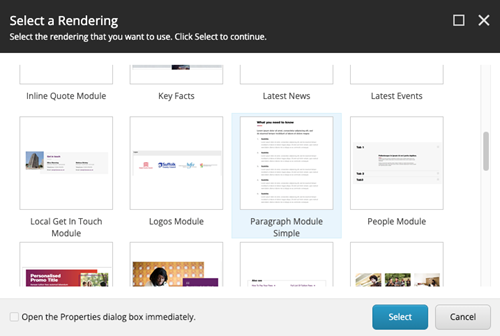
5. Another window will appear requiring you to select a content item. Select 'Create New Content':
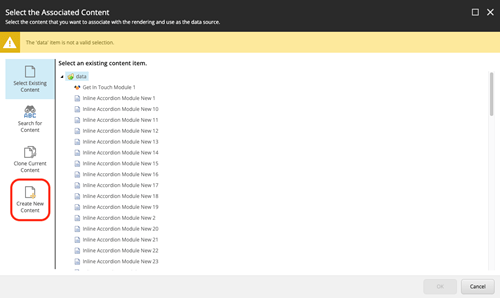
6. You now need to give the module a name, one that is descriptive so that you can easily find it again. For example, a paragraph module about joining Essex during Welcome Week you might name 'Paragraph about joining the University'.
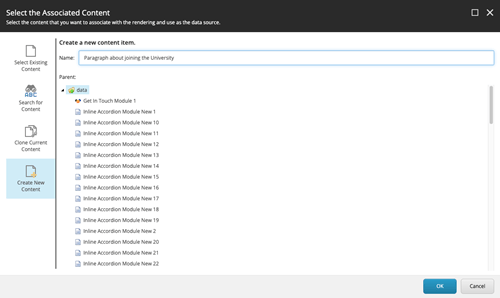
Additional instructions for specific modules are also given below.
You can move any module to another location on the page using the 'Move' button. Select the module and then select the second button in from the left.
Paragraph module
Use the paragraph module to add text wherever you need it on the page. This module can be created by all web authors.
How to add a paragraph module
Follow the steps outlined above in 'How to add a module' and select 'Paragraph Module' from the module menu.
Inline accordion module
Accordion item 1
You can add text and other modules within the accordion item.
Accordion item 2
Add as many of these accordion items as you need for your content.
Accordion item 3
The inline accordion module can be used to hide content and let users expand only the sections they are interested in. This module can be created by all web authors.
How to add an accordion module
- Follow the steps outlined above in 'How to add a module' and select 'Inline Accordion Module Group' from the module menu.
- The item you have added is the accordion group container. This will hold all the individual accordion items you add next.
- In the box containing the words 'No text in field' you can add an optional heading for your group of accordions.
- To add your first accordion item, click into the grey box below the heading and select 'Add here'.
- Select 'Inline accordion module item' from the menu.
- Select 'Create new content' and give your accordion module item a title.
- In the box 'No text in field' enter the title of your accordion item.
- To add text to your accordion item, click into the grey box and select 'Add here'
- Select 'Paragraph module simple' from the menu and repeat the procedure for adding a paragraph module.
- Save.
- To add your next accordion item, select the 'Add a new component' button in the top left (next to the 'Home' tab).
- You'll have options to add the next accordion item either above or below the one you've just added.
- Repeat from step 5 onwards.
You can also move individual accordion items to different locations within the accordion group using the 'move' button (click on the accordion item, select the second button from the left).
Related links module
The related links module can be used to link to other pages on the website, documents for download or external websites. This module can be created by all web authors.
How to add a related links module
- If adding a new module, follow the steps outlined above in 'How to add a module' and select ‘Related Links Module’. You’ll then see some bold red text. You can ignore this.
- If linking to a document, upload the accessible document to the Media Library.
- In the related links module, you can add a internal or external link, or a document.
- Select the cog icon on far left of the menu bar.
- If uploading a document, write the name of the document in the Link description field on the right.
- Once added, you can move the position of the links up and down using the blue buttons on the right.
- The links you’ve added won’t appear until you hit save.
Video module
The video module can be used to embed any video that is hosted on Vimeo or Youtube onto the Essex website. This module can be created by all web authors.
How to add a video module
- Follow the steps outlined above in 'How to add a module' and select ‘Video Module’.
- Select the blue boxes icon on the far left of the menu bar.
- For Vimeo videos, the only field you need to complete is ‘Video URL’. For YouTube videos, complete the 'YouTube ID' field.
- Copy and paste this information from Vimeo or YouTube.
- Save – you won’t see the video until it’s published.
Quote module
![Student wearing a football shirt]() "The quote module can be used to highlight a key quote along with a picture of the person who said it."
"The quote module can be used to highlight a key quote along with a picture of the person who said it."

The quote module can be used to highlight a key, short quote along with a picture of the person who said it. This should only be used once per page, but for other quotes you can add additional inline quote modules (see below).
This module can be created by all web authors.
Image size: 1500 x 1047px
How to add a quote module
- Upload a correctly-sized image to the image folder in the Media Library.
- Follow the steps outlined above in 'How to add a module' and select ‘Quote Module’.
- In the purple box you can type the quote, the person who said it, their role and their department/institution.
- Select the card icon in the far left-hand side of the menu bar and select browse to find your image.
Inline quote module
![Dog sitting in front of a group of people]() "The inline quote module is a smaller quote module used for longer quotes which may be a few sentences long. Unlike the the other quote module, there is more room for text meaning longer quotes do not take up too much space on the page. This module can be used with or without an image."
"The inline quote module is a smaller quote module used for longer quotes which may be a few sentences long. Unlike the the other quote module, there is more room for text meaning longer quotes do not take up too much space on the page. This module can be used with or without an image."
)
The inline quote module is a smaller quote module used for longer quotes which may be a few sentences.
This module can be created by all web authors.
Image size: 330 x 500px
How to add an inline quote module
- Upload a correctly-sized image to the image folder in the Media Library.
- Follow the steps outlined above in 'How to add a module' and select ‘Inline Quote Module’.
- In the text box you can type the quote, the person who said it, their role or their department/institution.
- Select the card icon in the far left-hand side of the menu bar. Select browse to find your image.
Image X1 module

The image X1 module is used to place a large full-width image on the page with a caption.
This module can be created by all web authors.
Image size: 1200 x 675px.
How to add an Image X1 module
- Upload a correctly-sized image to the image folder in the Media Library.
- The text that appears with the image needs to be added to the image file in the Media Library (in the 'Title' field located under 'Information').
- Follow the steps outlined above in 'How to add a module' and select ‘Image X1 module’.
- Click on the image to bring up the image menu.
- Select the 'Choose image' icon on the far left-hand side of the menu. Select browse to find your image.
Image XN module
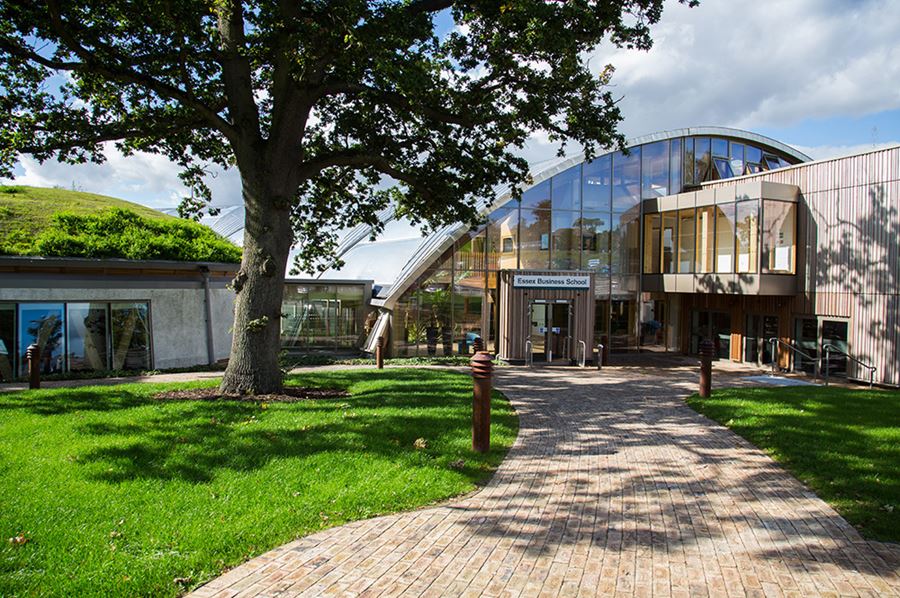
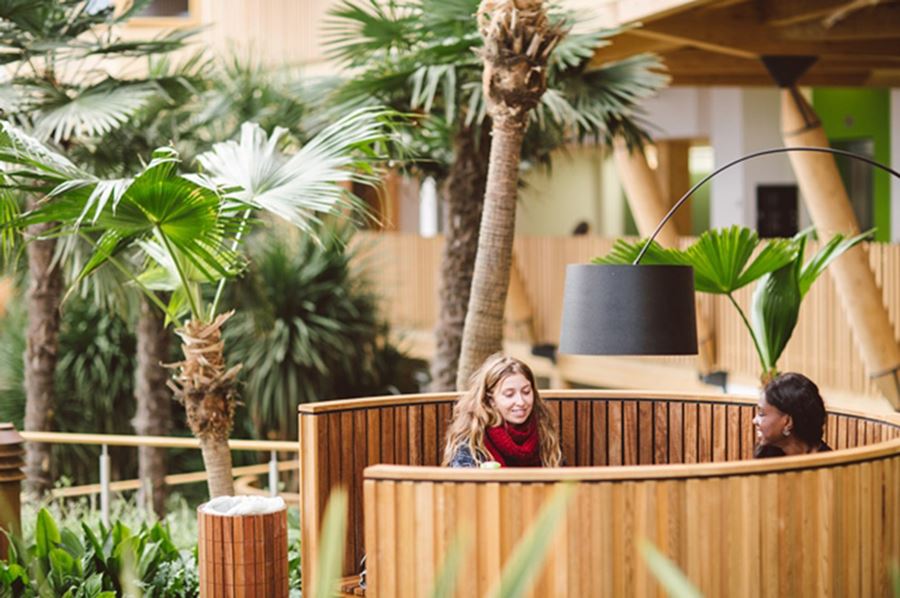
The image XN module is used to place two images on the page side-by-side with captions.
This module can be created by all web authors.
Image size: 1000 x 665px
How to add an Image XN module
- Upload two correctly-sized images to the image folder in the Media Library.
- The text that appears with the image needs to be added to the image file in the Media Library (in the 'Title' field located under 'Information').
- Follow the steps outlined above in 'How to add a module' and select ‘Image XN module’.
- Select the 'edit images' icon on the far left-hand side of the menu bar.
- Select 'add item' to find your image. Repeat for the second image.
Image gallery module

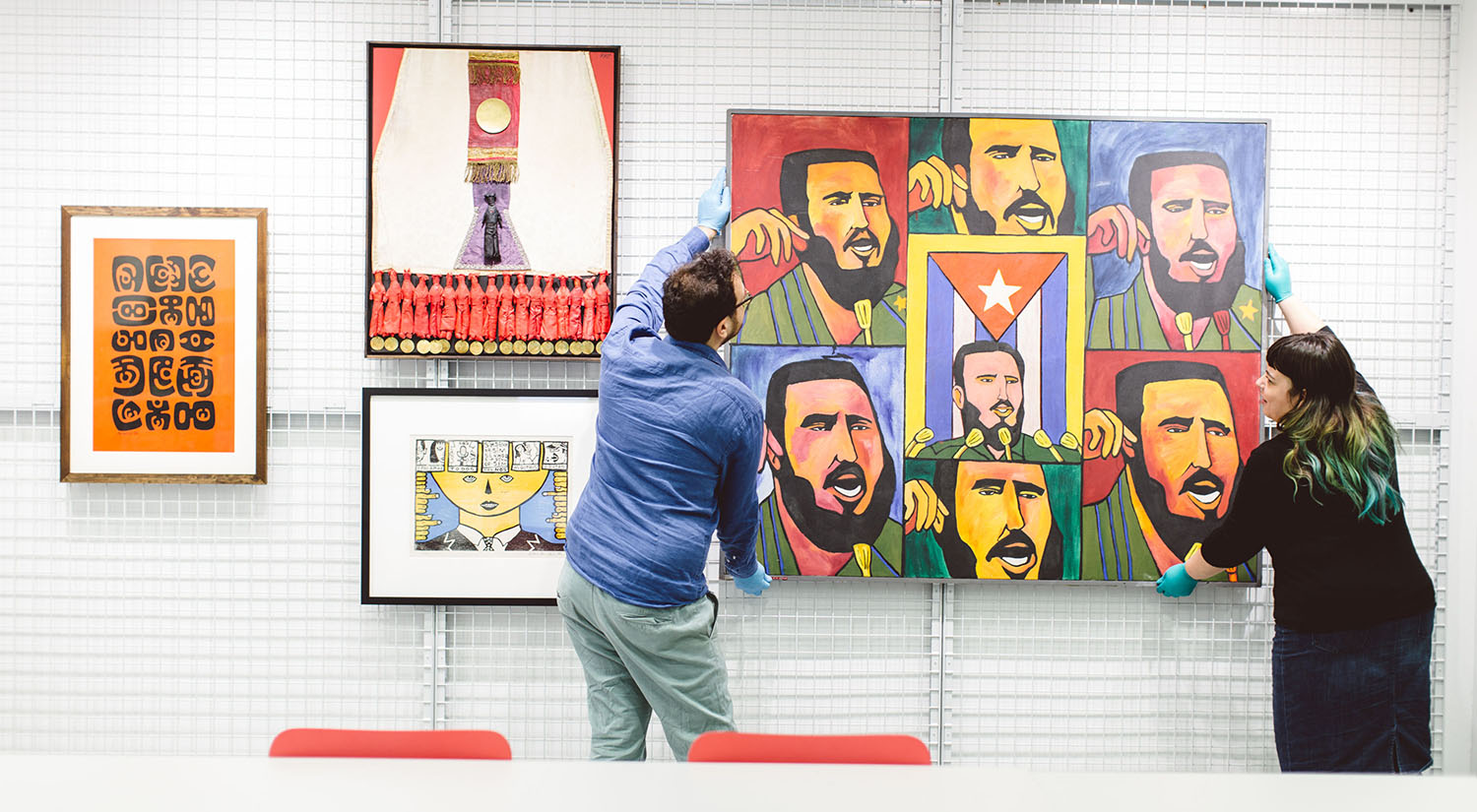

The image gallery module can be used to show a series of images in a carousel with captions.
This module can be created by all web authors.
Image size: 1500 x 825px
How to add an Image gallery module
- Upload two or more correctly-sized images to the image folder in the Media Library.
- The text that appears with the image needs to be added to the image file in the Media Library (in the 'Title' field located under 'Information').
- Follow the steps outlined above in 'How to add a module' and select ‘Image gallery module’.
- Select the 'edit images' icon on the far left-hand side of the menu bar.
- Select 'add item' to find your image. Repeat for the additional images.
Promo module

The promo module can be used to draw attention to big key messages, and provide a call-to-action button to link users to key areas. This should only be used once on a page so as not to dilute its impact.
This module needs to be created and edited by wedm@essex.ac.uk. Once it's created it can be added to a page by all web authors.
Image size: 1000 x 1000px
Promo with background module


The promo with background module is for main landing pages. It can be used to draw attention to flagship messages, and provide a call-to-action button to link users to key areas. This should only be used once on a page so as not to dilute its impact.
This module needs to be created and edited by wedm@essex.ac.uk. Once it's created it can be added to a page by all web authors.
Image size: 1000 x 1000px
Background image size: 1900 x 600px
Promo with card module

Apply now There's still time to apply Applications to join us at Essex this October are still open through UCAS.
Find the UCAS code for your chosen course in the details section on the relevant Course Finder page. Our UCAS institution code is E70.

Clearing opens on 1 July
Interested in understanding more about Clearing? What is it, how does it work and when does it open? We can help with that.
The promo with card module is for main landing pages. It can be used to draw attention to flagship messages, and provide two related but separate call-to-action links to direct users to key areas. The card element can be omitted if needed so this can also be used as an alternative to the promo with background module. This should only be used once on a page so as not to dilute its impact.
This module needs to be created and edited by wedm@essex.ac.uk. Once it's created it can be added to a page by all web authors.
Card image size: 1000 x 1000px
Background image size: 1900 x 600px
Support module

For further help and advice please contact the Student Services Hub.
The support module is used to launch a contact form, the University live chat, or to direct users to a place they can find support. This should only be used once per page so as not to confuse users.
This module needs to be created and edited by wedm@essex.ac.uk. Once it's created it can be added to a page by all web authors.
Key facts module
Why
live here?



The key facts module is used to provide a carousel of short, key USPs, along with images to accompany each point. This should only be used once per page but can be populated with up to five key facts.
This module needs to be created and edited by wedm@essex.ac.uk. Once it's created it can be added to a page by all web authors.
Large image size: 1000 x 1000px
Small image size: 512 x 512px
Callout module


The callout module is used on landing pages present a set of three highly visual links to content pages within the same section. This should only be used once per page so as not to dilute impact.
This content for this module needs to be created by wedm@essex.ac.uk. Once it's created it can be added to a page by all web authors.
Image size: 800 x 452px
Related pages module
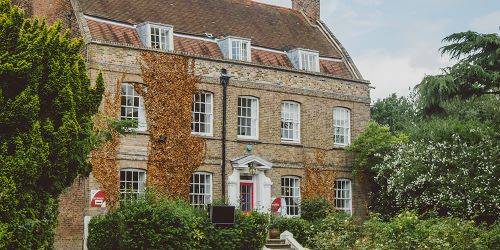
This module provides links to three other pages that are relevant to your user. Each set contains three links (you must have three) and is normally used towards the bottom of a page. It is possible to have more than one set of three per page.
This content for this module needs to be created by wedm@essex.ac.uk. Once it's created it can be added to a page by all web authors.
Image size: 800 x 452px
Featured links module
Full width


Thin mode
The featured links module is for main landing pages. It allows us to group related links into broader categories to aid user navigation, and promote key related content in a highly visual way.
This module can display 1, 2 or 3 tiles in a single row, with a maximum of 5 links per tile. The module can be stacked on top of another featured links module for additional rows. The module can be presented in full-width mode, or with spacing between the tiles in thin mode. By default, tiles on a single row will have even width, but this can be customised to have wider and narrower tiles on the same row.
This content for this module needs to be created by wedm@essex.ac.uk. Once it's created it can be added to a page by all web authors.
Image size: 1000 x 541px
Unique points module
- Home to 15,000 students from 130 countries.
- Set within 200 acres of beautiful parkland.
- Two miles from the historic centre of Colchester.
Used to highlight three key USPs on a content page. On landing pages, consider using the key facts module instead for a more visual impact. This module can only accept text - no links or images.
Get in touch module

Used to provide contact details of the person or team a user can get in contact with about the topic of that page. There are two types of get in touch modules - local and global.
Local modules are used to provide contact details that are only applicable to one page. Local get in touch modules can be created by all web authors.
Global modules are used when the same contact details are to be used on more than one page. Global modules need to be created and edited by wedm@essex.ac.uk
Image size: 512 x 512px
How to create a local get in touch module
- Upload a correctly-sized image to the image folder in the Media Library.
- Follow the steps outlined above in 'How to add a module' and select ‘Local get in touch module’.
- Click on the image to bring up the image menu.
- Select the 'Choose an image' icon on the far left-hand side of the menu. Select browse to find your image.
- You can now enter one or two sets of contact details.
Staff results module
Emeritus Professors





Used to display either a single member of staff, or a list of staff, with links to their staff profiles. This can be filtered by department, position, title, position type etc. All information is this module is fed directly from HR records.
This content for this module needs to be created by wedm@essex.ac.uk. Once it's created it can be added to a page by all web authors.
People module


Used to list individuals or to a number of people in a group, such as a research cluster. Content is entered manually and can also include external people not at Essex.
This module can be created by all web authors.
How to add a people module
You can find full instructions on how to add a people module in our people module training video.
Course results module
Use this module to list a group of related courses.
This content for this module needs to be created by wedm@essex.ac.uk. Once it's created it can be added to a page by all web authors.
Search bar module
Adds a contextual search bar to the page. The module can be pre-filtered to search within a particular set of results (e.g. within a defined category or department).
This content for this module needs to be created by wedm@essex.ac.uk. Once it's created it can be added to a page by all web authors.
Search results module
1-10 of 12 results
Adds a list of search results to the page. The module can be filtered to only return search results that match the filters.
This content for this module needs to be created by wedm@essex.ac.uk. Once it's created it can be added to a page by all web authors.
Logos module



Used for pages where the content is collaborative between the University and other organisations.
This content for this module needs to be created by wedm@essex.ac.uk. Once it's created it can be added to a page by all web authors.
Latest news module
Provides a list of up to three latest news items from the University news page. The module can be filtered to show only news that has been tagged to a specific academic department.
This content for this module needs to be created by wedm@essex.ac.uk. Once it's created it can be added to a page by all web authors.
Latest events module
Provides a list of latest event items from the University events page. The module can be filtered to show only events that have been tagged to a specific academic department.
This content for this module needs to be created by wedm@essex.ac.uk. Once it's created it can be added to a page by all web authors.
Latest blog post module
Provide a list of the latest blogs from the University blogs page. The module can be filtered to show only blog posts that have been tagged to a particular author, department or category.
This content for this module needs to be created by wedm@essex.ac.uk. Once it's created it can be added to a page by all web authors.
Cross links module



Cross links modules are similar to the related pages module in terms of function. This module sits at the bottom of most main University web pages and therefore must not be added to any web page. For any queries contact wedm@essex.ac.uk.